Listings that move.
HomeView Creative turns your property photos into cinematic video walkthroughs in minutes — no editing, no crew, no software to learn. Plus standalone AI tools — virtually stage empty rooms and write your listing copy in seconds, with or without a video.
Start free · no credit card · listing copy free forever
A real HomeView walkthrough — photos in, cinematic tour out.
~3 min
Average render time
1080p
MLS-ready export
86%
More engagement vs. photos
0
Editing skills required
Empty rooms sell slower. Furnish them instantly.
Vacant or dated listing? HomeView Creative furnishes every room with AI in seconds — so buyers see a warm, move-in-ready home instead of bare floors. It's a standalone tool: just upload photos, pick a designer look or describe your own, and download the staged shots. Want a video too? Turn them into a walkthrough in one click.
- Use it on its own — no walkthrough required
- Four designer styles — or write your own prompt
- Keeps the room's real walls, windows & layout
- Free on every plan
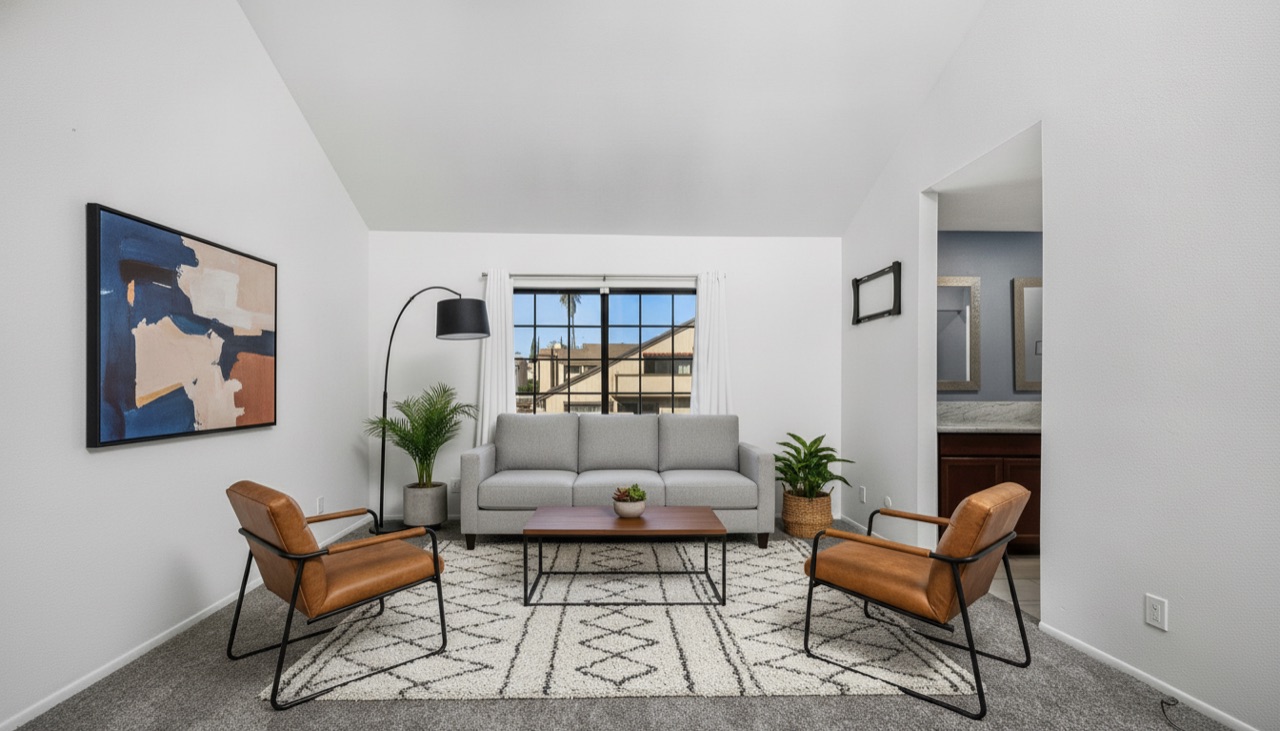
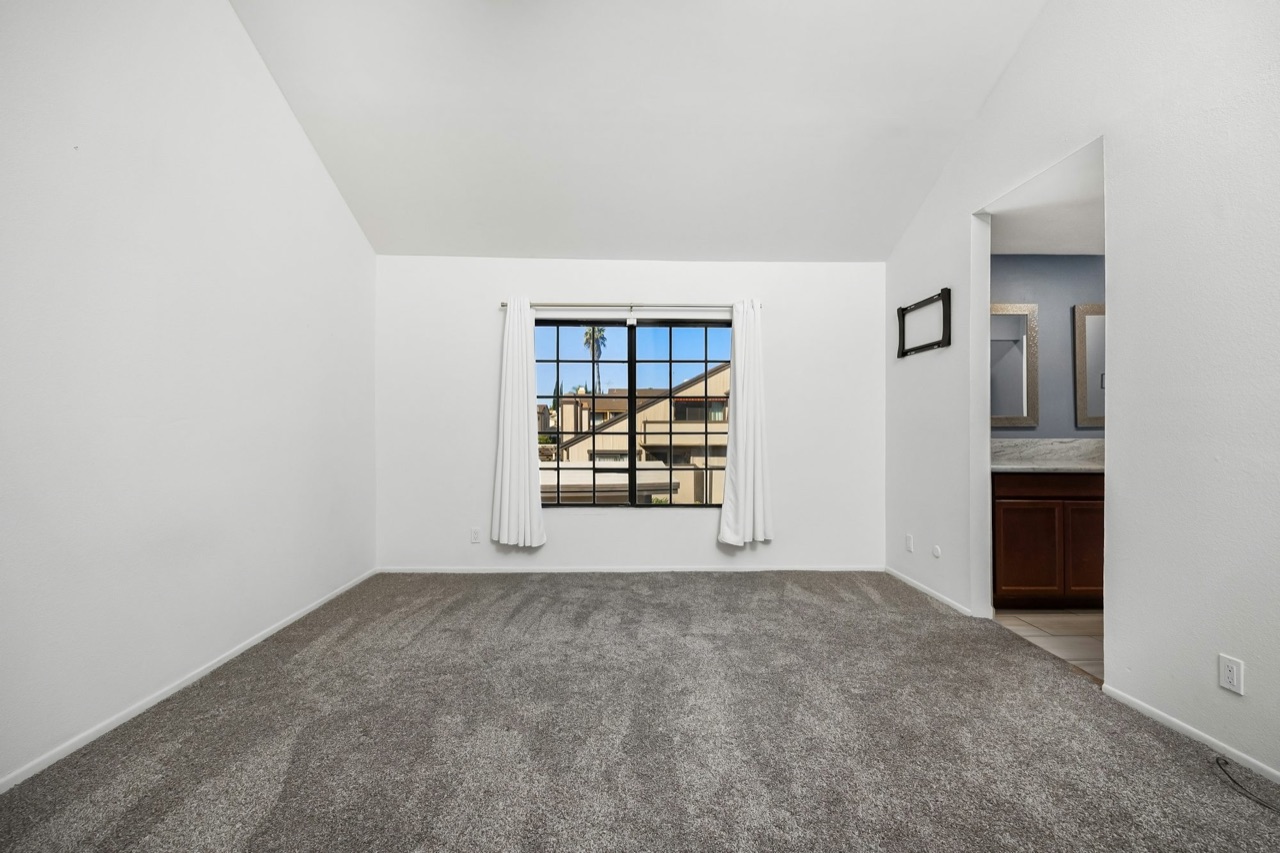
Drag to compare — a real empty listing photo, furnished by AI.
Shot at noon? Sell it at golden hour.
Flat, gray, midday exteriors don't stop the scroll. Upload your listing photos and HomeView Creative relights them in seconds — glowing twilight shots, warm golden hour, clear blue skies, and lush green lawns. It's the photo upgrade agents pay hundreds of dollars per listing for, built right in.
- Day-to-dusk twilight with glowing windows
- Swap gray skies for blue, brown lawns for green
- Keeps the home exactly as it is — only the light changes
- Free on every plan
Twilight
Dusk glow
Golden hour
Warm light
Blue sky
Clear & bright
Lush lawn
Green & healthy
Four one-click looks — same home, better light.
Three steps to a tour
From a folder of photos to a share-ready walkthrough — without leaving your browser.
Upload your photos
Drag and drop your listing photos in the order you want the tour to flow.
AI builds the walkthrough
We animate smooth motion between rooms, add music, and overlay your listing details.
Share everywhere
Download a 1080p, MLS-ready video and post it to Zillow, Instagram, or YouTube.
No credit card required
The listing video, finally automated
Stop paying for shoots or wrestling with editing apps. HomeView Creative produces the kind of walkthrough that used to take a videographer a day.
Cinematic motion
Real camera-style movement between rooms — not a slideshow. Buyers feel the space.
Full-HD quality
Crisp 1080p walkthroughs, ready for the MLS, Zillow, and social feeds.
Minutes, not days
No editor, no crew. A finished walkthrough is ready while you write the listing copy.
AI virtual staging
Furnish empty or dated rooms on their own or inside a walkthrough — designer looks or your own prompt. Free on every plan.
AI listing copy
Generate the MLS description and Instagram, Facebook & “Just Listed” captions from your details — in seconds. Free on every plan.
Day-to-dusk & sky fixes
Turn flat daytime exteriors into twilight, golden-hour, blue-sky, and lush-lawn shots — the photo upgrades agents pay hundreds for. Free on every plan.
Stop staring at a blank listing description.
Enter a few details and HomeView Creative writes the MLS description and ready-to-post Instagram, Facebook, and “Just Listed” captions — in seconds. Use it as its own tool, no video required.
- MLS description + 3 social captions, every time
- Writes only from your details — no made-up facts
- Free on every plan
MLS description
Sun-filled 3-bed bungalow with a renovated chef's kitchen, quartz counters, and a private backyard — minutes from parks and downtown. Move-in ready and full of charm.
Instagram caption
✨ Just listed — your sunny next chapter starts here. 🏡 Renovated kitchen, big backyard, unbeatable location. #JustListed #DreamHome #RealEstate #HomeForSale
Example output — generated from a few quick details.
Do the math
One listing video used to mean a $300 videographer. Drag the slider to see what HomeView saves you against hiring out every listing — every month, and every year.
Based on a typical $300 pro listing-video shoot.
Hiring a videographer
$1,800/mo
HomeView Pro
$149/mo
You'd save about
$1,651/mo
that's $19,812 a year, on the Pro plan
Plans that pay for themselves
Start free — no card. Listing copy is free forever and virtual staging is free for your first month. Upgrade when you want video walkthroughs.
Free
Try the AI tools, no card
$0forever
Walkthroughs not included
- AI listing copy — free forever
- AI virtual staging — free for 1 month
- Unlimited MLS copy & captions
- No credit card required
Solo
For the individual agent
$49/mo
3 walkthroughs / month
- 1080p Full-HD walkthroughs
- AI virtual staging included
- AI listing copy included
- Music & soundtrack
- Download & share links
- Email support
Pro
For the busy agent
$149/mo
10 walkthroughs / month
- Everything in Solo
- Priority rendering
- Bulk listing uploads
- No watermark
Team
For brokerages & teams
$299/mo
25 walkthroughs / month
- Everything in Pro
- Up to 5 seats
- Shared team library
- Priority support
Every plan includes AI listing copy, virtual staging, and photo enhancement. Paid plans add 1080p video walkthroughs, music, and share links · billed monthly · cancel anytime.
Turn your next listing into a tour
Upload a handful of photos and watch HomeView Creative do the rest.
Get started for free